

We’re asking customers for their views on a proposed change to heating service charges. The proposal would change how the daily standing charge for your heat meter is collected, moving it from your pre-payment meter to your service charge. If approved, the amount you pay would be the same whether you use a pre-payment meter or pay through your service charge.
Want to know more? View our Heating Service Charges Consultation Frequently Asked Questions for more information about the proposed changes.
Heating Service Charges Consultation
Heat Network information
A heat network is a way of heating homes using one large heating system instead of lots of separate boilers. The heat is made in a central plant room and sent through pipes to homes on the network. The hot water from these pipes is then used for:
-
Heating your home
-
Hot water from your taps
You might be on a heat network if:
-
Your heating and hot water are supplied from a central system that serves multiple homes, rather than having your own gas boiler.
-
You top up a heat meter or receive bills for heat usage instead of having a gas account for your heating.
-
You live in one of our buildings with a communal heating system, where heat is distributed from a central plant room to homes through a network of pipes.
If you're unsure whether your home is connected to a heat network, contact the Stockport Homes Energy Solutions Team and we'll be happy to check for you.
Call: 0161 474 4062
Email: [email protected]
If your heating and hot water is provided by a district or communal heat network, you can speak to the Stockport Homes Energy Solutions Team directly for advice and support with any of the below:
-
You are off supply due to debt on your meter
-
You are having difficulty topping up
-
You need advice on ways to top up
-
You want to set up a standing order

Heat Network Guides

Heat Network Frequently Asked Questions

Priority Services Register
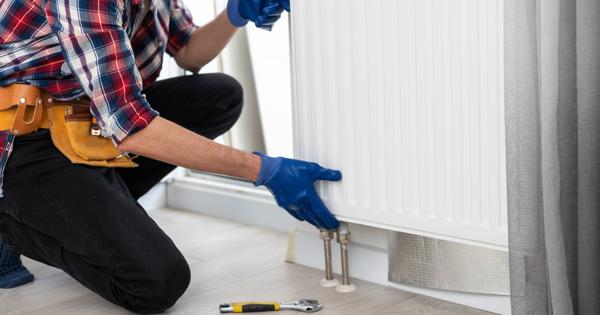
Heat Network Repairs

Understanding your Pre Payment Meter
If you have a prepayment meter (PPM) for your heating, you’ll need to add credit to your meter before you use energy. Your meter will show how much credit you have remaining, helping you keep track of when you need to top up.
You can add credit to your prepayment meter using the top-up options available for your system and view our user guides. We recommend keeping an eye on your balance and topping up before your credit gets too low.
If your normal credit runs out, Emergency Credit may be available to help keep your heating on for a little longer. Emergency Credit is not free energy. Any credit you use will need to be paid back when you next top up. Your PPM user guide explains how to activate Emergency Credit, how much is available and how it is recovered from future top-ups.
Where available, Friendly-hours Credit can help to prevent your heating from going off during certain times when it may be more difficult to top up, such as overnight, at weekends or on public holiday. Any energy you use during Friendly-hours Credit still needs to be paid for.
If you have used all of your available credit, including any Emergency Credit or applicable Friendly-hours Credit, your heating supply may be suspended until you add enough credit to your meter. When you next top up, some of the amount you add may be used to repay credit you have already used. Your user guide should explain exactly how this works for your meter.
If you’re struggling to add credit or are worried about your heating supply, please contact us as soon as possible so we can explain the support available to you. Our Energy Solutions Team are here to support you. Get in touch by calling us on 0161 474 4062 or email [email protected].
Our Energy Solutions Team are here to support you. Get in touch by calling us on 0161 474 4062 or email [email protected].
If you have credit on your meter but your heating or hot water is off supply, please report this to the repairs team on 0161 217 6016
If you are still struggling using your heating at your property and require extra assistance either over the phone or face to face then please get in touch using the details below.
The Energy Advice Team – Stockport Homes [email protected] or 0161 474 4062.
Note: Please ensure you refer to the correct user guide for your property.